
MovingLab App

Would you like to know how long you spend travelling, which routes you cover, which means of transport you use and how often, and what your carbon footprint is? Then you've come to the right place! The DLR MovingLab app makes your mobility visible - and it's child's play.
Download the DLR MovingLab app for Android from the Google PlayStore or for iOS from the Apple AppStore and install it on your smartphone. The app can be used worldwide for mobility recording. Two languages are currently supported: German and English.
Once you have successfully registered, all you have to do is activate tracking in the app. The app automatically recognises the routes and means of transport used. You can confirm your mobility data directly in the app on your smartphone or in the web app.
How does the app work?
Position and movement sensors from smartphones or GPS loggers are used to recognise routes and means of transport. Based on the sensor data, the exact location of a person or vehicle can be determined and corresponding acceleration profiles created, which allow conclusions to be drawn about the means of transport used and the route chosen. The advantage: all times and distances are automatically recorded. If you have forgotten to activate tracking in the app, you can also enter a route.
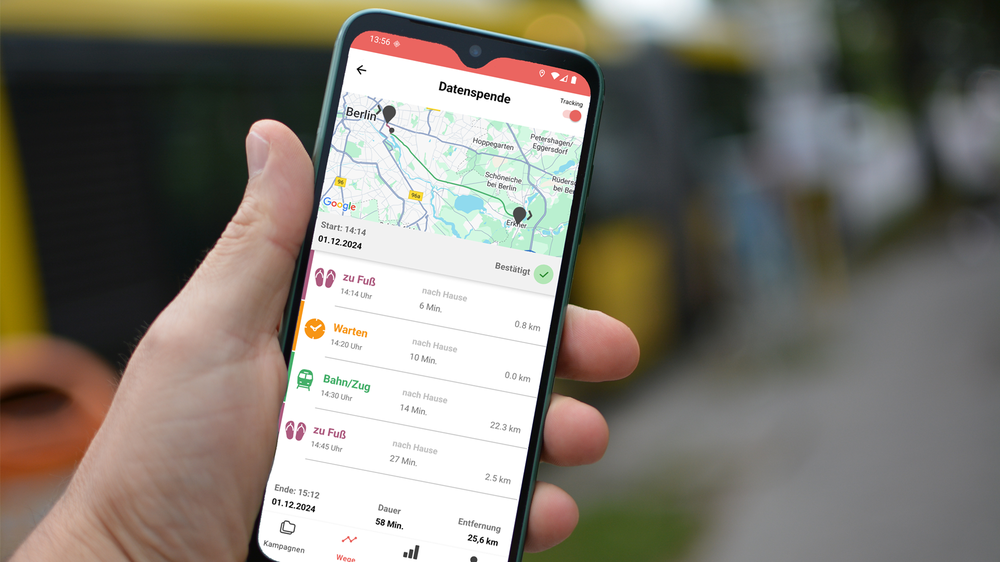
When recognising routes and means of transport, stages are combined into routes. A route can consist of one or more stages. Each stage contains information on a mode of transport.
To ensure data quality, it is important to confirm the automatically recognised routes. Incorrectly recognised means of transport can be corrected in the app. You can also split or summarise incorrectly recorded journeys or report or delete them via the app. A daily check of the recognised routes is sufficient, at the earliest after you are no longer travelling and the data has been completely transferred.
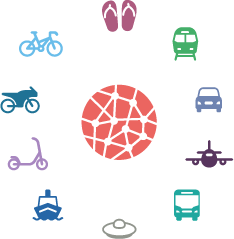
Which modes of transport are recognised by the app?
The DLR MovingLab app automatically recognises whether you are travelling on foot, by train (S-Bahn, U-Bahn, tram, train), in a car, plane, bus, ship or on an e-scooter, motorbike or bicycle.
Your mobility data at a glance
Your journeys for each day are displayed in the journey overview. The journey details show a map with the route of the journey. The individual means of transport are highlighted in colour both on the map and in the list view. The times and distances are also displayed.
Your mobility data is summarised in the analysis overview. Here you can see how you travelled on individual days or over a longer period of time: mode of transport distribution (modal split), distance, duration and CO2 emissions.